Meshbooth for BlenderTurn finished Blender models into store-ready listing packs.
Select your model in Blender and press one button. Meshbooth saves your listing images, a turntable and checked GLB and FBX exports in one folder. Your .blend file is not changed.
Opens Gumroad. Checkout and delivery by Gumroad.
$19 launch price until October 9, 2026, then $25. 7-day refund.
- I Model
- II Meshbooth
- III Listing pack



9 files · one folder · your .blend is not changed
Real files from one Meshbooth 0.2.0 run on the Treasure Chest (Poly Haven, CC0), appearing in the order Meshbooth saves them, sped up: the whole run took 7 minutes on our test PC. Open any file to see it.
Built for people who sell 3D models
For Gumroad, Superhive, Fab, CGTrader or TurboSquid, and for freelancers who deliver models to clients.
One button
Select your model, press Create Listing Pack, and get the whole listing pack in one folder.
Exports that are checked
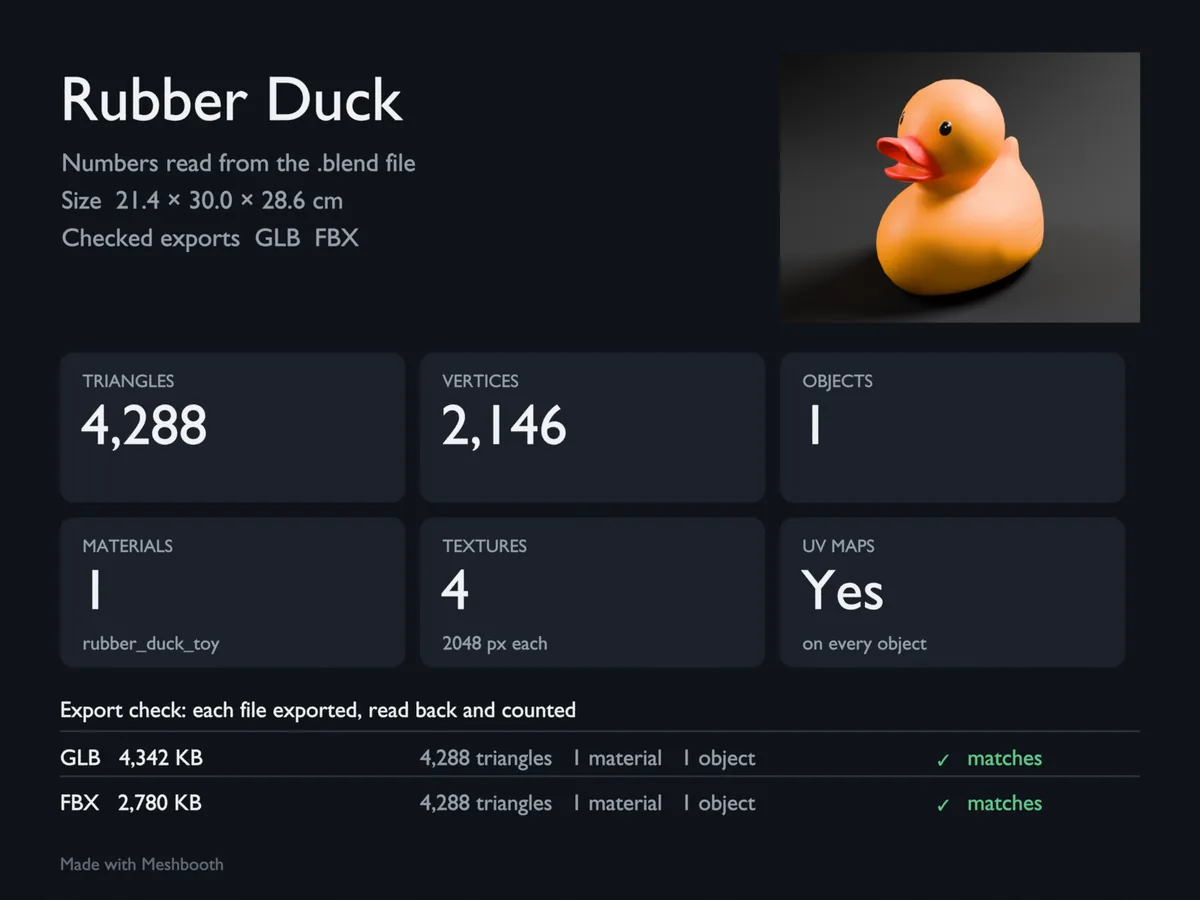
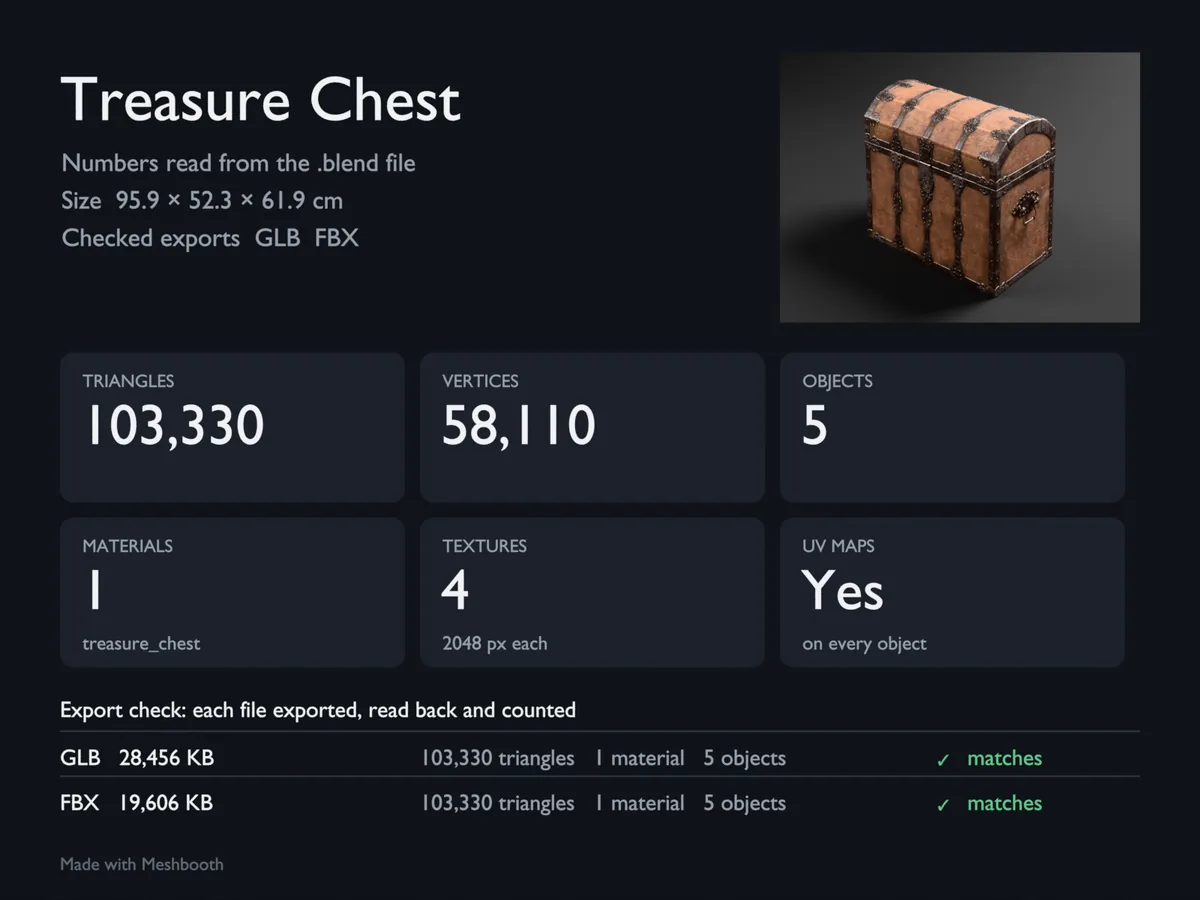
The GLB and the FBX are read back and compared with your model. The spec card says "matches" or "differs".
Colours close to your textures
Khronos PBR Neutral view, pure white lights and neutral grey backdrops. The studio does not tint your model.
Your file stays as it was
Meshbooth builds its studio in a temporary scene and removes it when the run finishes, fails or is cancelled.
One button. The whole listing pack.
Blender model → Meshbooth → ready-to-sell listing pack.
Blender model
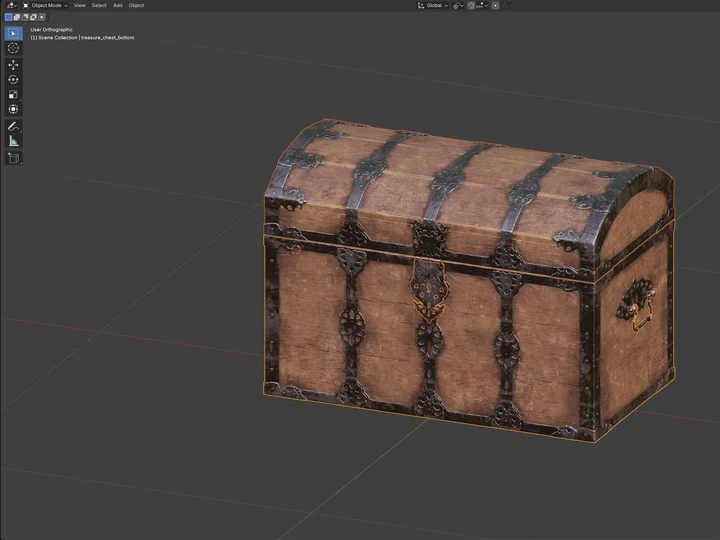
Save your .blend, select your model, press N and open the Meshbooth tab.
Meshbooth
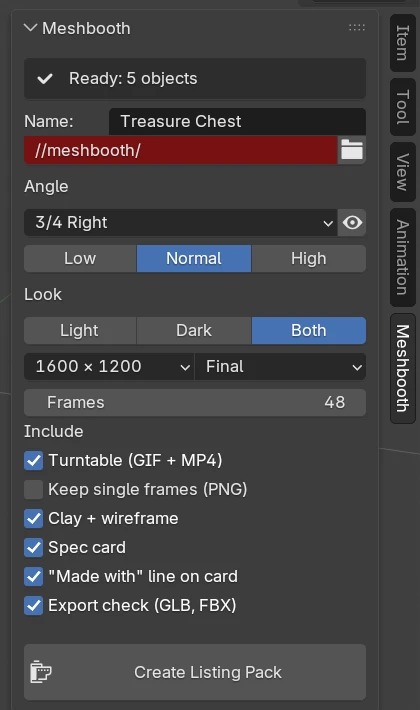
Press Create Listing Pack. On our test PC (NVIDIA RTX 5080), a typical model took about 1.5 to 2.5 minutes with the default settings.
Ready-to-sell listing pack
- 01_beauty_light.png1.9 MB
- 01_beauty_dark.png1.9 MB
- 02_spec_card.png1.2 MB
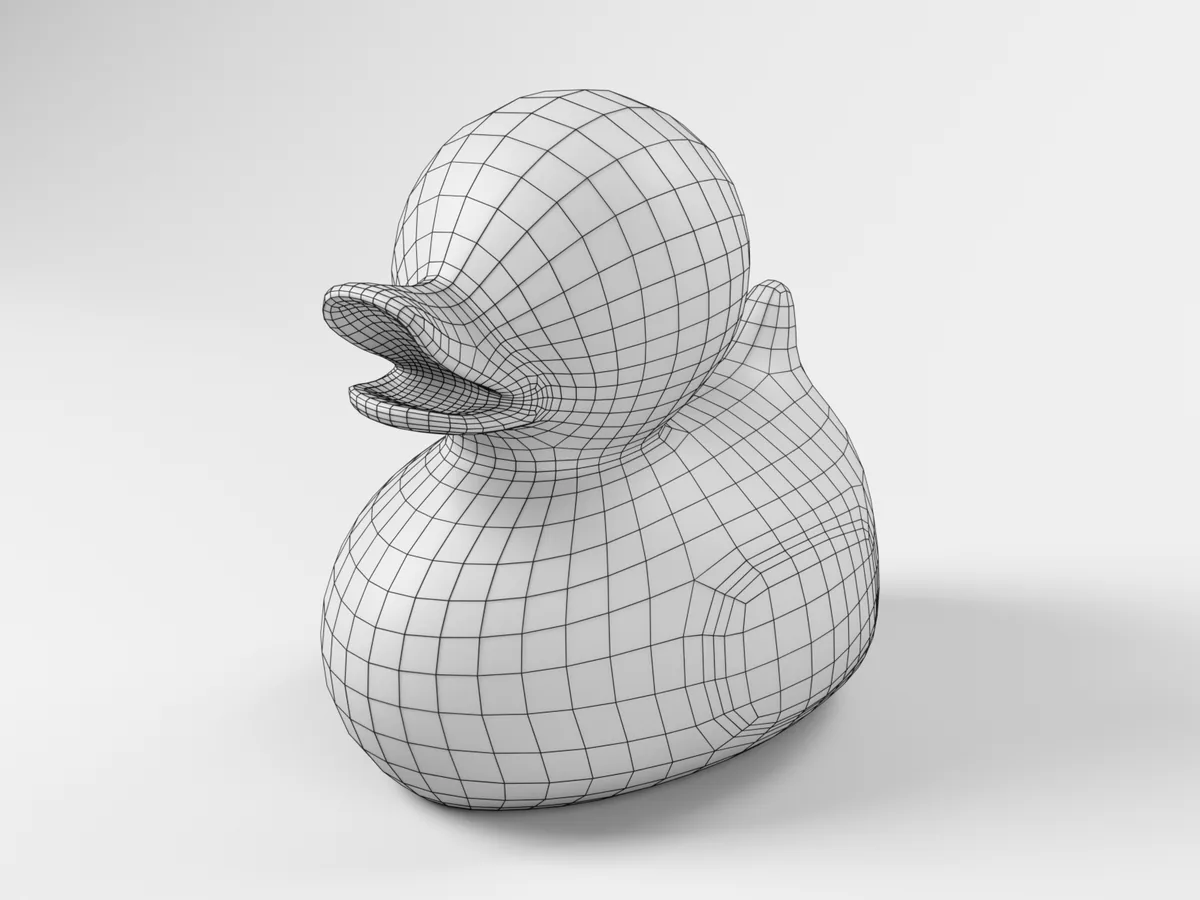
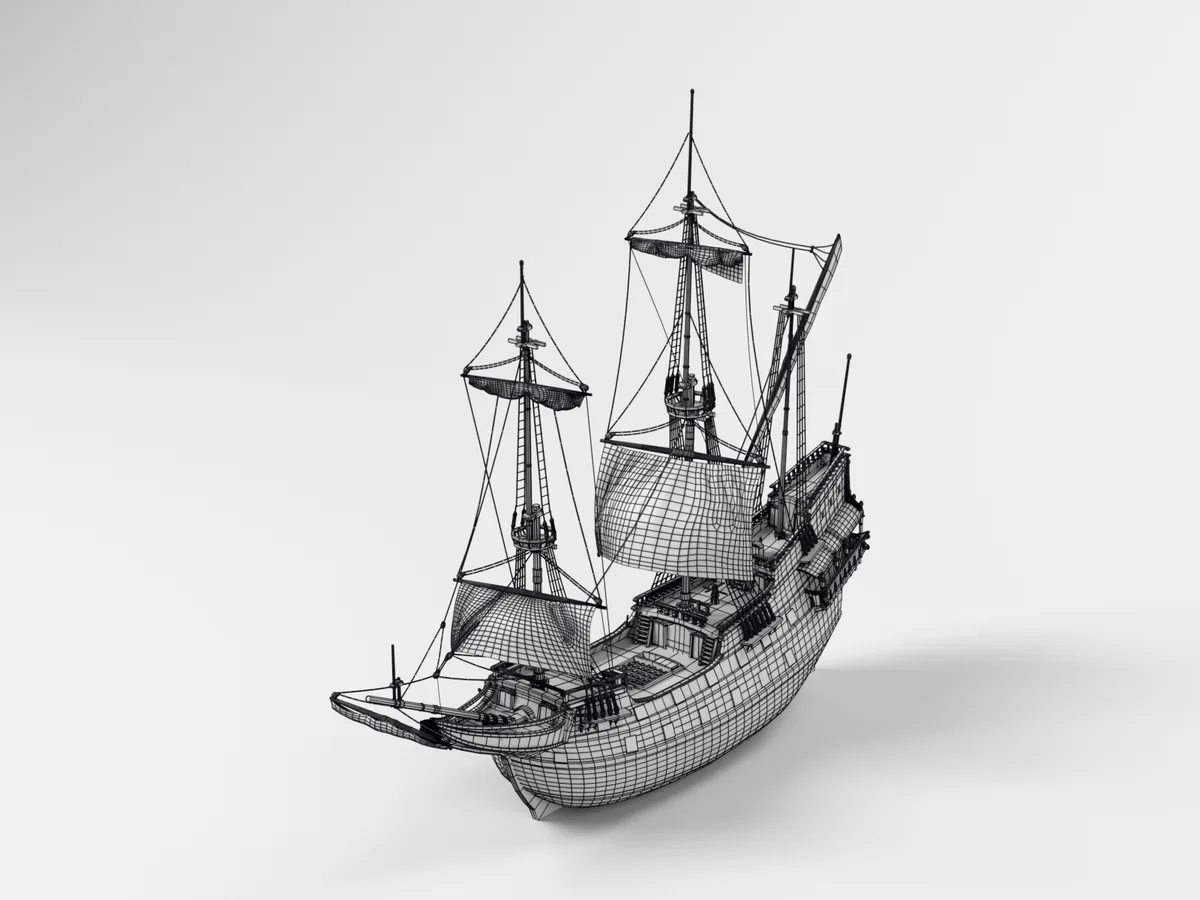
- 03_clay_wire.png2.1 MB
- 04_turntable.gif2.5 MB
- 04_turntable.mp4190 KB
- Rubber Duck.glb4.2 MB
- Rubber Duck.fbx2.7 MB
- stats.json899 B
Nine files in one folder, from one run on the Rubber Duck. Your .blend file is not changed.
Meshbooth does not check any store's image rules. Please check the rules of the store you upload to.
What one run gives you
With the default settings, you get 9 files in one folder. These are from one Meshbooth 0.2.0 run on the Rubber Duck model (Poly Haven, CC0), as saved.
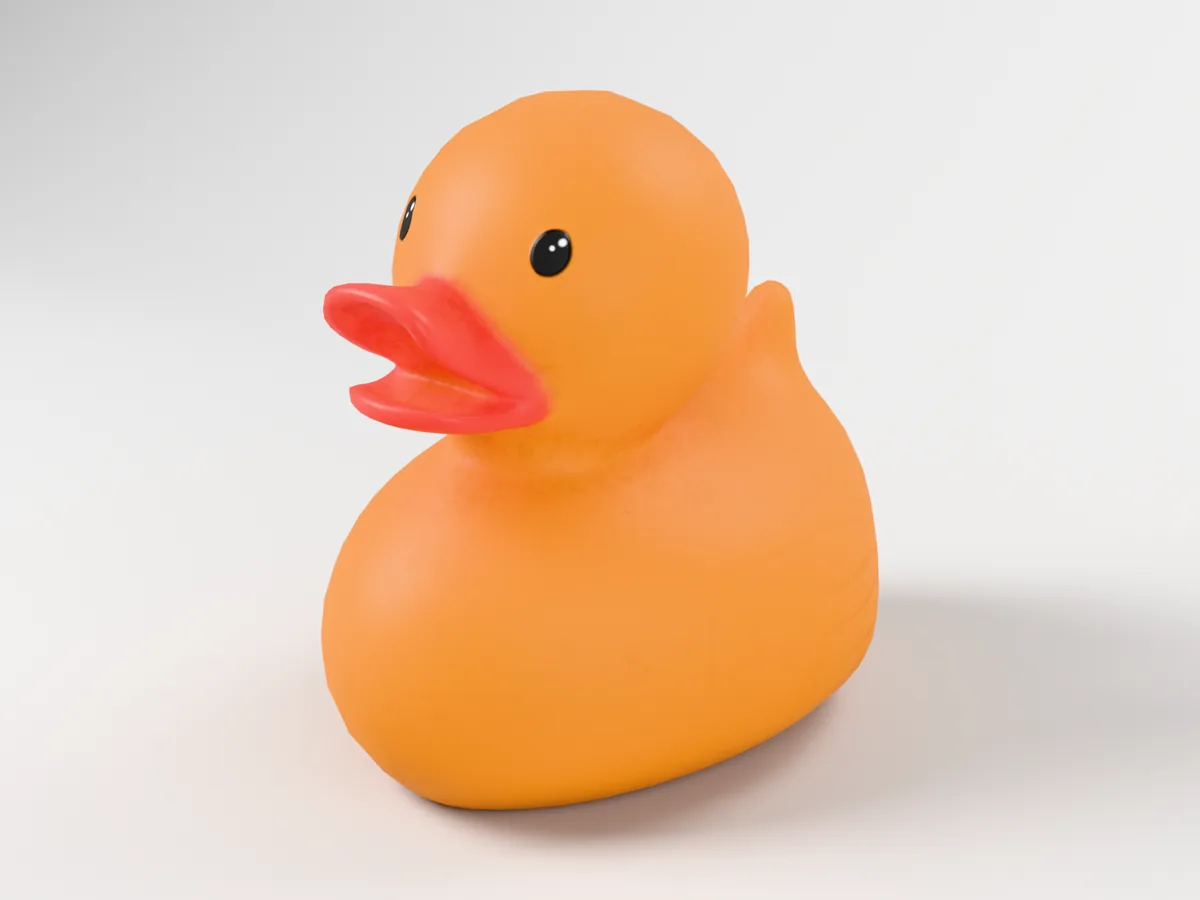
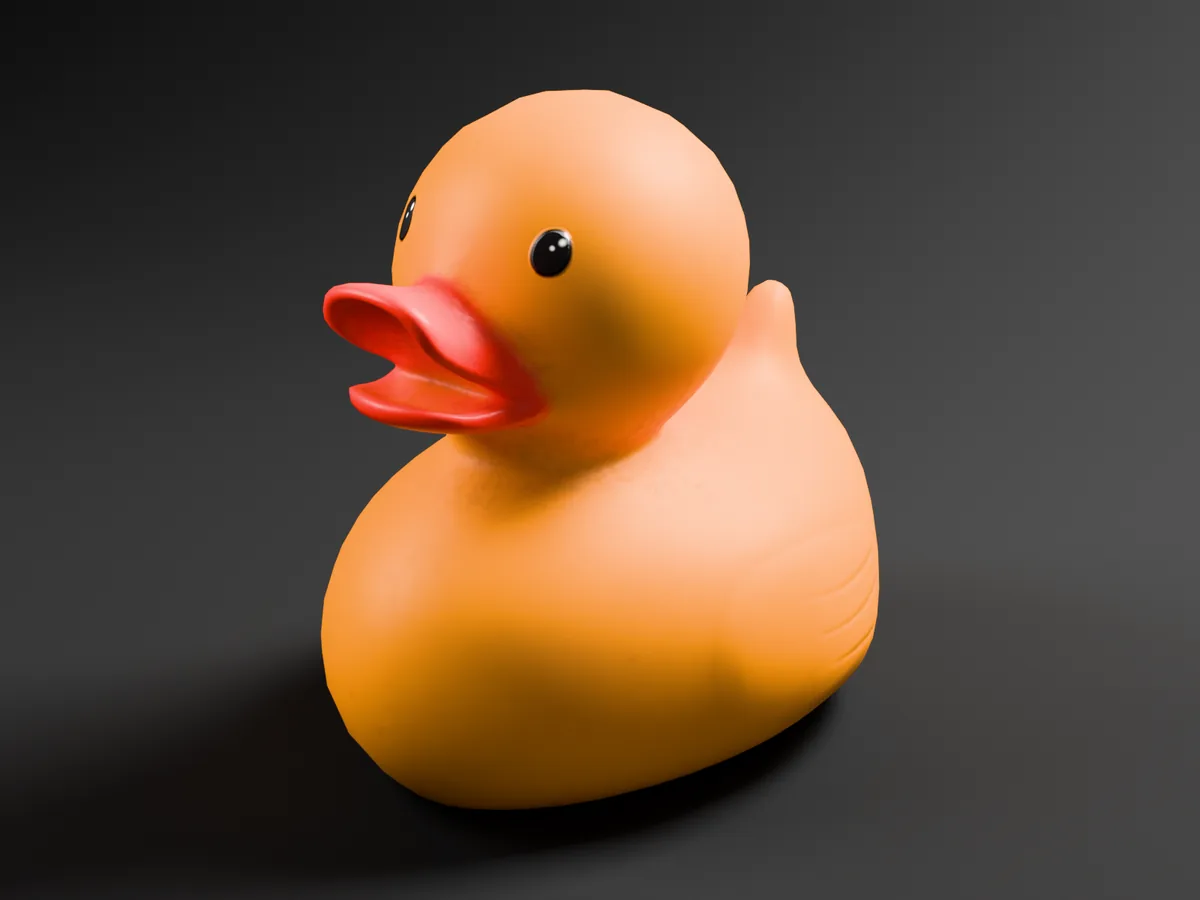 Light studioDark studio
{
  "name": "Rubber Duck",
  "objects": 1,
  "triangles": 4288,
  "vertices": 2146,
  "instances": 0,
  "materials": [
    "rubber_duck_toy"
  ],
  "materials_on_faces": 1,
  "uv_maps": true,
  "size_cm": [
    21.4,
    30.0,
    28.6
  ],
  "textures": {
    "rubber_duck_toy_metal.png": [
      2048,
      2048
    ],
    "rubber_duck_toy_diff.png": [
      2048,
      2048
    ],
    "rubber_duck_toy_rough.png": [
      2048,
      2048
    ],
    "rubber_duck_toy_nor_gl.png": [
      2048,
      2048
    ]
  },
  "exports": [
    {
      "file": "Rubber Duck.glb",
      "bytes": 4445804,
      "objects": 1,
      "triangles": 4288,
      "materials": 1
    },
    {
      "file": "Rubber Duck.fbx",
      "bytes": 2846348,
      "objects": 1,
      "triangles": 4288,
      "materials": 1
    }
  ],
  "skipped": [],
  "warnings": []
}
Checked, not only exported
Meshbooth exports a GLB and an FBX. Then it reads each file back and compares its triangles and materials with your model. For each file, the spec card shows "matches" or "differs", and the final summary tells you what to check.
For example, Blender's FBX exporter leaves out Geometry Nodes instances. In that case the card says "differs" for the FBX, and the summary tells you to use the GLB or add a Realize Instances node.
This is a count check. It is not a glTF specification validator.
Forged for Blender creators.
Meshbooth is the first tool from DigitalCashCode. It does one job: it turns a finished model into the files a store listing needs, and it checks the exports before you upload them.
It works offline. No account, no licence key, no internet access.
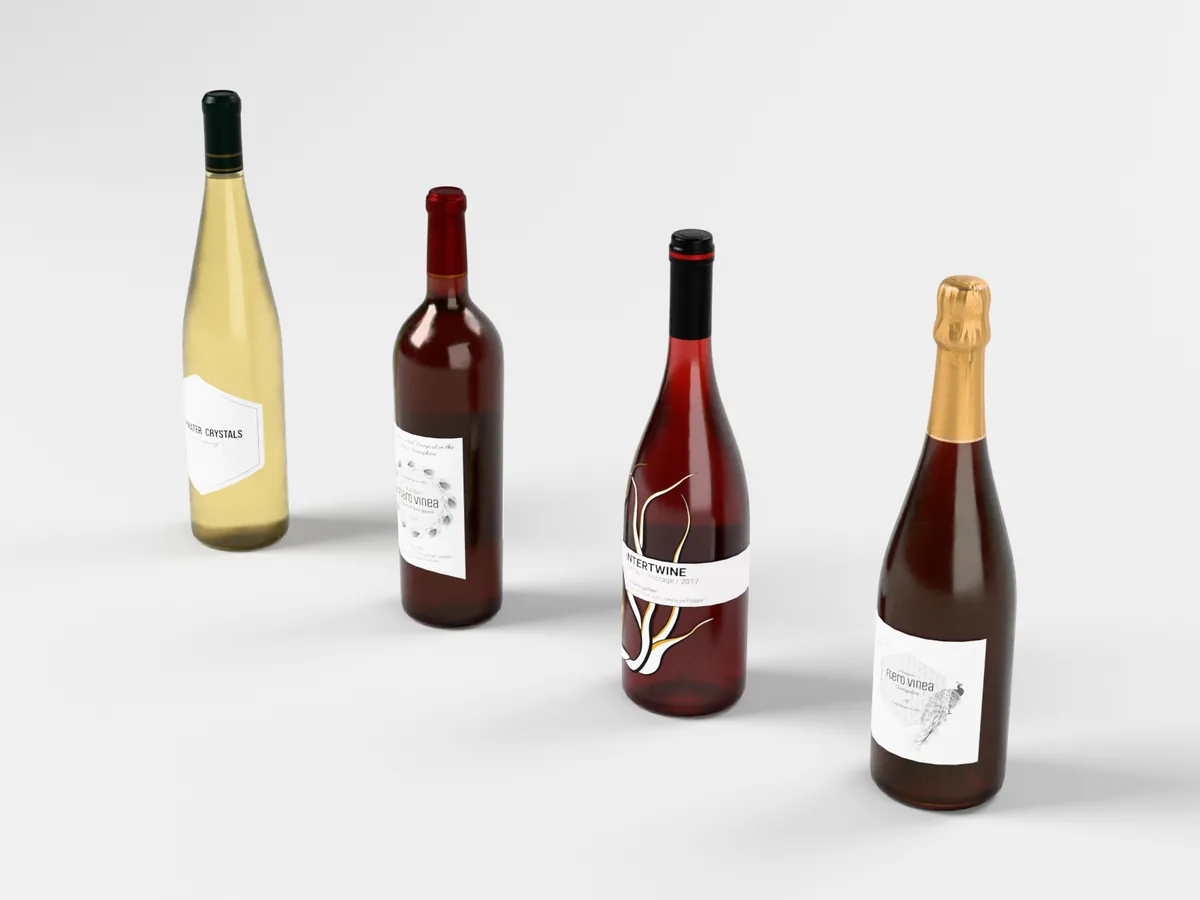
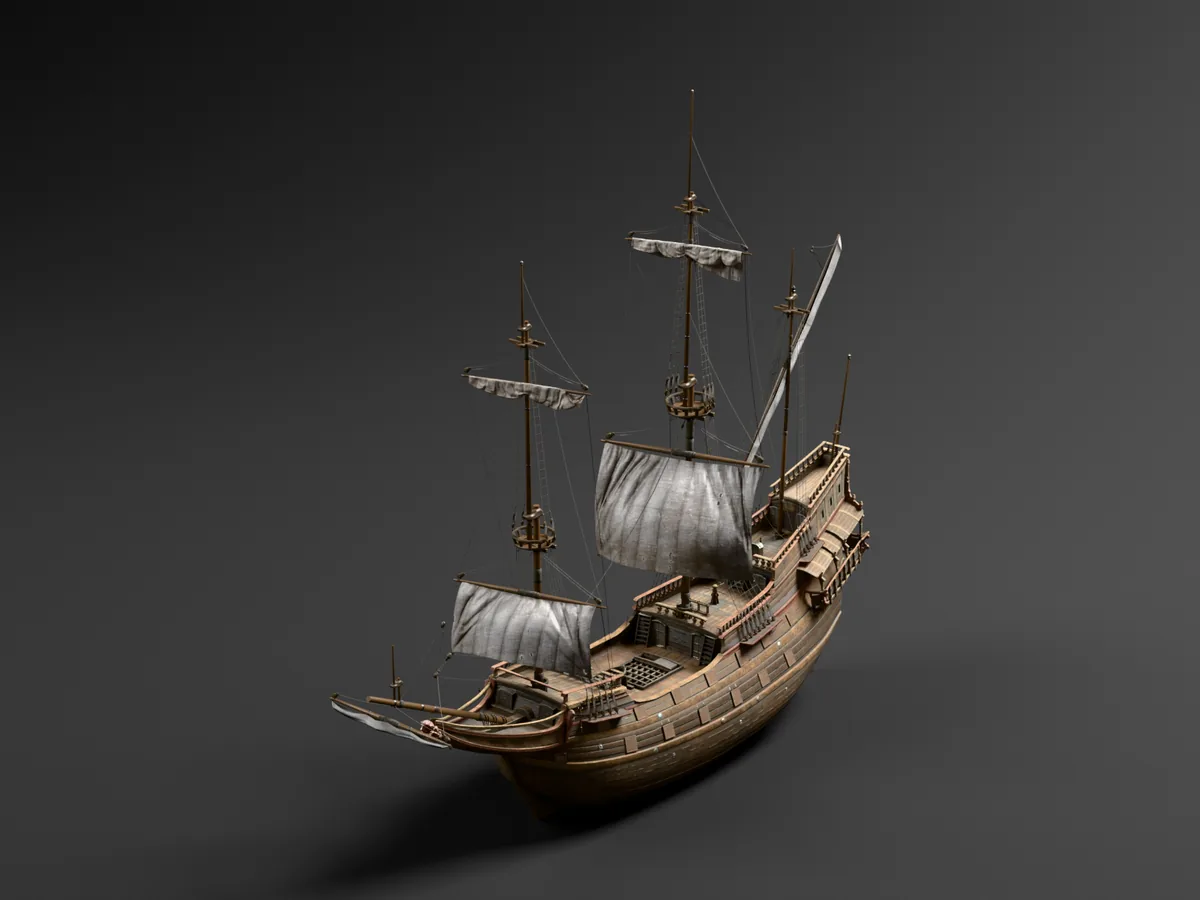
Same button, other models
Tested, and not yet verified
Currently tested on Windows 11 with Blender 4.5 LTS and 5.1. macOS support is in development and coming soon.
Tested
- Windows 11: supported
- Blender 4.5 LTS and Blender 5.1
- NVIDIA RTX 5080 with OptiX, the only graphics card tested
- No graphics card: works, about 4 to 5 times slower on a 12-core test processor (earlier build of 0.2.0)
- Blender's interface in English, Spanish, French, German, Japanese and Simplified Chinese
Not yet verified
- macOS: support in development, coming soon
- Linux
- AMD and Intel graphics cards
- NVIDIA with CUDA instead of OptiX
- Windows 10
- Blender 5.0, and 5.2 and later
- Other Blender interface languages
Blender 4.4 and older cannot install it. Meshbooth's own panel, messages, spec card and manual are in English only.
If Meshbooth does not run on your system, or you simply change your mind, write within 7 days for a full refund through Gumroad.
Known limitations
- Meshbooth is made mainly for mesh-based assets. Complex setups, such as collection instances, instanced curves or text, or unusual parent hierarchies, can give differences between the renders, the GLB and the FBX. Please check the renders and both export files before you upload them.
- One camera angle per run, plus the turntable. For another angle, run it again into a different folder.
- The studio does not change: light and dark backdrops with three soft lights. Your own HDRI, background or camera are not used.
- Above 500,000 triangles or 3,000 pieces, the clay view has no wireframe.
- Glass and other transparent materials show as opaque grey in the clay view.
- Particle hair is not counted, not exported and not shown in the clay view.
- The numbers, the clay view and the exports use the viewport level of modifiers such as Subdivision. The photos use the render level.
Meshbooth for Blender · version 0.2.0
Opens Gumroad. Checkout and delivery by Gumroad.
- 7-day refund, even if you just change your mind.
- Like Blender itself, free software under the GNU GPL (GPL-3.0-or-later). Install it on as many computers as you like.
- No licence key, no account, never connects to the internet.
- The images, videos and exports it makes from your models are yours.
- Bug-fix updates for version 0 in your Gumroad library. Email support at [email protected].
- Not included: 3D models, Blender itself, uploading to any store.
Questions
Does Meshbooth change my .blend file?
No. It only reads your objects. It builds its studio in a temporary scene and removes everything it created for the studio when it finishes, fails or is cancelled. Blender may still ask you to save when you close it, for example because you selected objects or changed Meshbooth's panel settings.
Does it work on macOS or Linux?
Not yet. Meshbooth is currently tested on Windows 11 with Blender 4.5 LTS and 5.1. macOS support is in development and coming soon; Linux has not been verified yet. If you buy it for a Mac or for Linux and it does not run, you get a full refund within 7 days.
Do I need a graphics card?
No, but it is much faster with one turned on for Cycles. Without it, Meshbooth renders on the processor: it still works, but several times slower. The panel tells you when no graphics card is turned on.
How long does one run take?
On our test PC (NVIDIA RTX 5080), a typical model took about 1.5 to 2.5 minutes with the default settings (Final quality, 48 turntable frames). Draft is quicker. Slower graphics cards take longer.
Can I use my own lighting, HDRI or background?
No. The studio does not change: light and dark backdrops with three soft lights.
Can I use it for client work and commercial listings?
Yes. The images, videos and exports it makes from your models are yours. Meshbooth adds no terms to them.
It is GPL. Why pay for it?
When you buy, you pay for the official version from DigitalCashCode, bug-fix updates for version 0 in your Gumroad library, and email support.
How do I install it?
In Blender, go to Edit › Preferences › Get Extensions › the small arrow at the top right › Install from Disk, and choose the ZIP. Do not unzip it. The full manual is README.txt inside the ZIP.
Your next listing, one button away.
Meshbooth for Blender, version 0.2.0, released September 25, 2026. $19 launch price until October 9, 2026, then $25.
Sample models from Poly Haven (CC0): Treasure Chest by Rico Cilliers; Rubber Duck Toy by Plat251; Dutch Ship Large 01 by James Ray Cock, Rico Cilliers and Nicolò Zubbini; Wine Bottles 01 by Rico Cilliers and Jurita Burger.
Images: Meshbooth 0.2.0 output, not retouched. Illustrations and icons: made by DigitalCashCode.